Malaysian businesses, heads up! The LHDN E-Invoice system is changing the game for tax deductions. With the first batch of businesses implementing E-Invoice starting August 1st, 2024, a valid Tax Identification Number (TIN) is mandated. To ensure your expenses remain tax-deductible during audits, you’ll need to share your company’s Tax Identification Number (TIN) with all your suppliers. This TIN acts as a verification key during LHDN E-Invoice validation – without it, your suppliers can’t issue a validated e-invoice. Missing these validations could potentially render your business expenses non-deductible. The solution is simple: provide your TIN to every supplier you work with. This ensures proper e-invoice issuance and keeps your business compliant. We’ve even included four easy steps below to help you find your company’s TIN in a snap!
Steps To Search Company Tax Identification Number (TIN)
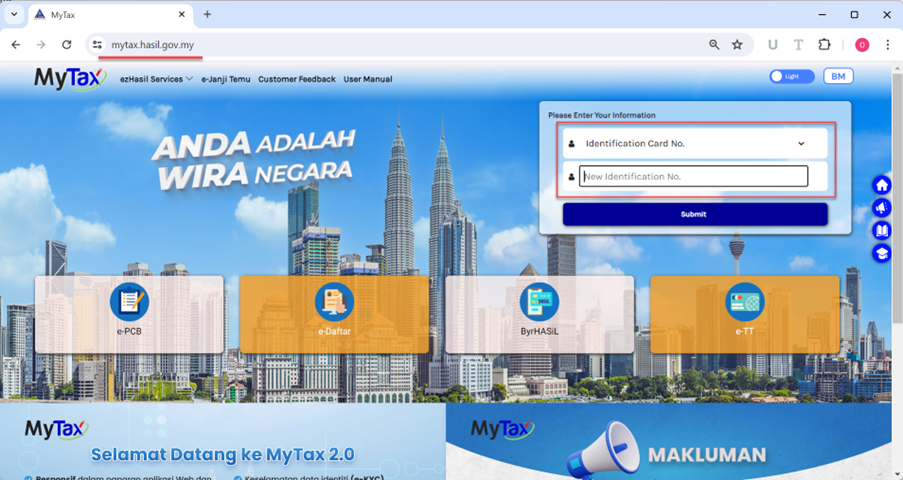
Go to https://mytax.hasil.gov.my/, choose Identification Number, enter your identification number, and click submit to login.
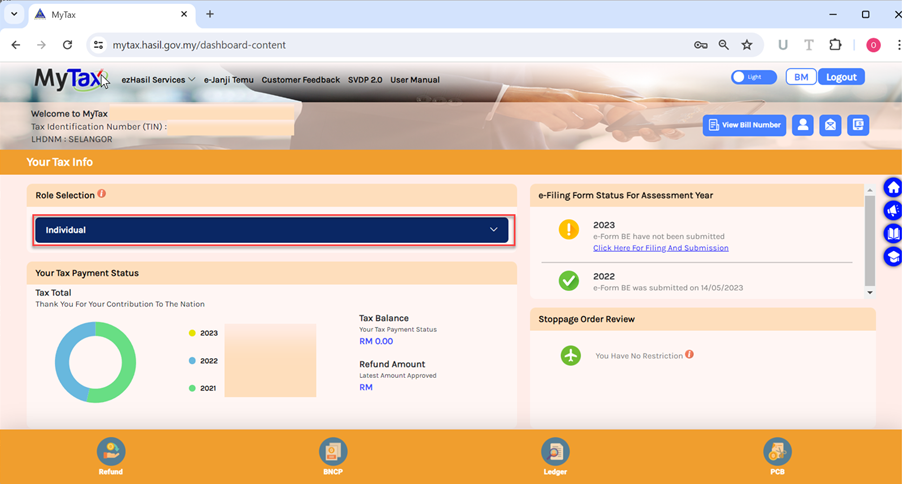
The default login is set for personal individuals. To switch to a company director, select ‘Individual’ under the “role selection” options and change it to ‘Director of the Company’.
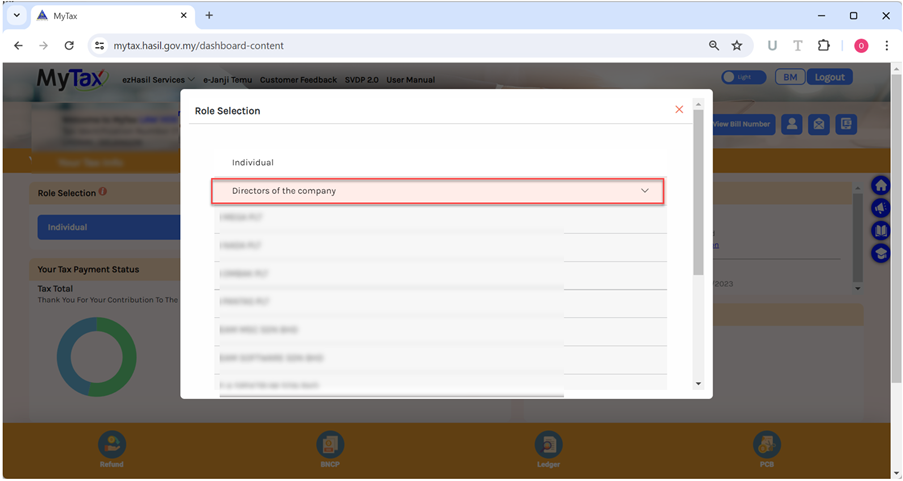
Choose the company name for which you want to search the Tax Identification Number (TIN)
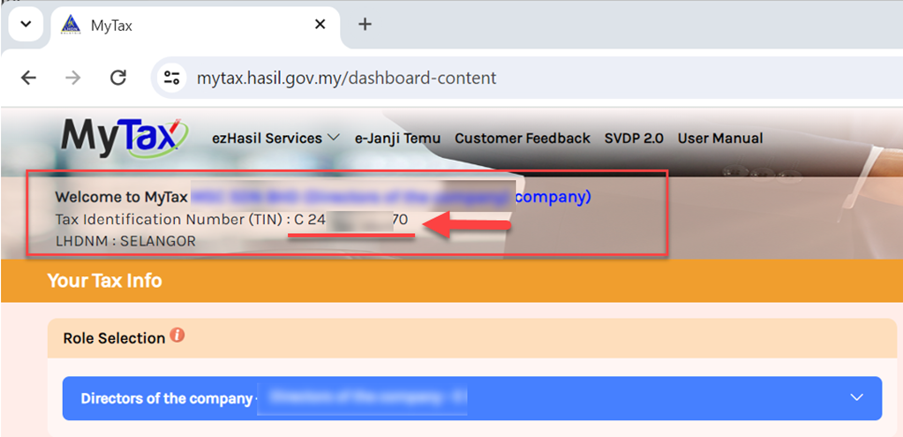
The company’s Tax Identification Number will be displayed at the top left.
By July 1, 2025, LHDN E-Invoice will be mandatory for all businesses. Prepare your business now to ensure compliance. SQL Accounting software, trusted by over 270,000 companies, offers user-friendly LHDN E-Invoice compliance at an affordable price. Contact us today for a free demo.